Educational familiarization only. This TechOpsBase resource is an original learning transformation grounded in a privately supplied B737 MAX ATA 31 source. It does not reproduce manufacturer task steps, limits, figures or controlled maintenance instructions. Current approved data and aircraft effectivity control real work.
What this resource teaches
Learn why the MAX display system is a technician workspace as well as a flight-deck display system.
Maintenance pages expose system data
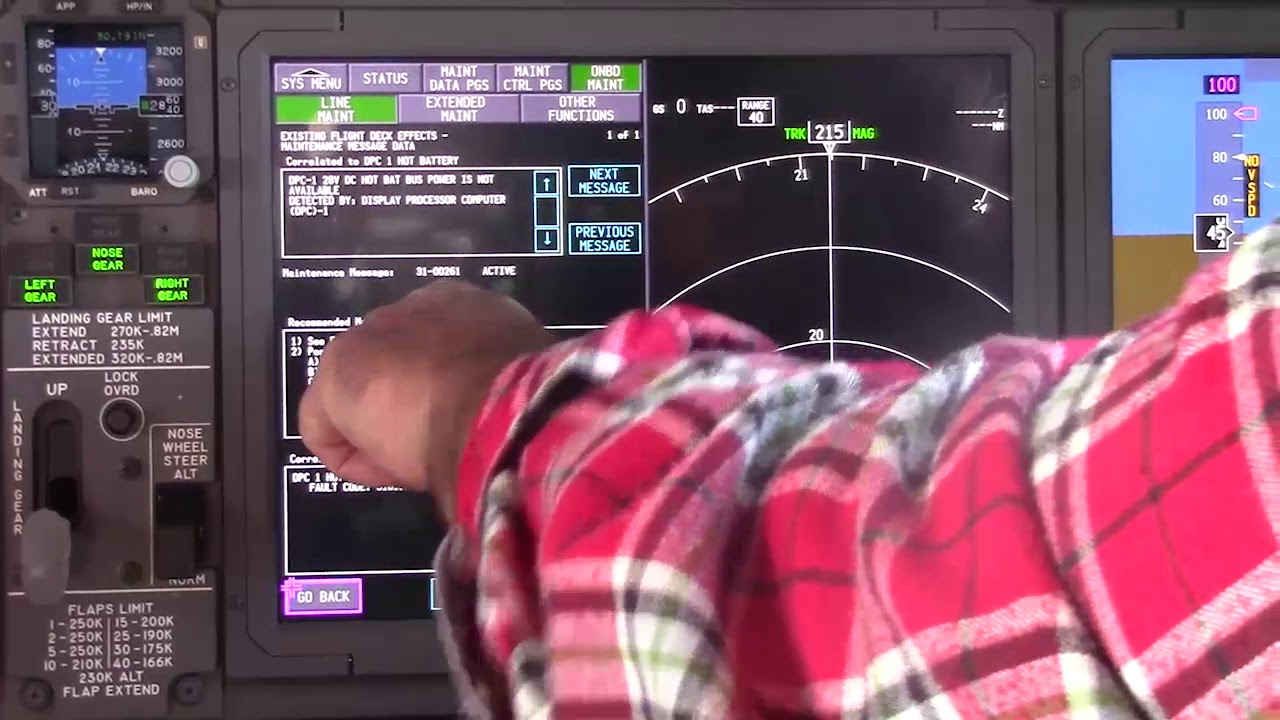
The source describes maintenance data pages for several ATA systems, including ATA 21, 27, 31, 32, 36, 49 and engine-related data. This makes ATA 31 a cross-system observation point.
REAL, MANUAL and AUTO are different evidence modes
The maintenance pages can display real-time data and stored manual/automatic snapshots. Real-time values answer “what is happening now?” while snapshots preserve selected event evidence.
Captured data supports correlation
A snapshot can preserve several parameters from the same moment, helping a technician compare control inputs and physical/system response rather than remembering one value at a time.
Data can be printed or transmitted
The source supports print/data-link functions. Conceptually, that helps maintenance preserve evidence across shifts, engineering review or troubleshooting sessions.
Do not confuse data access with fault isolation
A maintenance page can reveal a parameter or message, but the approved IFIM/FIM still defines how to test and isolate the fault.
Put this topic into the wider system
ATA 31 is an observation hub
Maintenance pages can expose data from other ATA systems. That makes ATA 31 a place to collect evidence, not automatically the source of every message shown on the screen. Fault isolation usually returns to the originating ATA or interface.
Presentation and source data are different layers
The MDS can display information created by many aircraft systems. If the same bad parameter appears on several displays, suspect the source/data chain before the individual screen. If only one display path is wrong, the display/processing/selection branch becomes more plausible.
Deeper system reasoning
REAL, MANUAL and AUTO are different evidence types
The chapter’s maintenance data pages can show real-time data and stored manual/automatic snapshots. Real-time evidence answers “what is the system doing now”; a snapshot can preserve what the system was doing when an event was captured. The source also supports printing/datalink of data. This is valuable for intermittent faults because a normal present state does not erase the relevance of a captured abnormal event.
NORMAL, FAULT and CONFIG point to different problem classes
MDS maintenance areas expose functional status for brightness, displays, DPC inputs/outputs, EFIS control-panel testing and configuration. A FAULT status is evidence of a detected functional issue; CONFIG can point toward software/configuration mismatch; NORMAL means that tested area currently sees no fault. Those distinctions help prevent hardware replacement when the more relevant issue is configuration or an upstream input.
Technician evidence matrix
Record which display/presentation is affected, whether source data is wrong elsewhere, DPC/DU/configuration status, REAL versus snapshot evidence and relevant maintenance messages.
Before using a maintenance message as a conclusion, note what independent evidence agrees with it and what evidence does not. If an alternate source, channel or display changes the symptom, record that explicitly because it can separate a common path from a source-specific path. Preserve configuration and event conditions in the handover so the next technician does not have to rebuild the diagnostic context from memory.
Evidence-first study method
For any system complaint, separate source/input, control logic, physical response, sensing/indication and consumer/result. When two layers disagree, that disagreement is useful evidence. Do not turn that evidence into a maintenance action until the applicable approved fault-isolation or maintenance data is open.
Approved-data boundary
Educational system explanation only. Do not use this page to perform maintenance, operate aircraft systems, isolate components or determine dispatch status. Current approved maintenance data, aircraft effectivity and operator procedures control real aircraft work.